Draft contracts in minutes
FlexDox turns your legal know-how into smart templates so your team drafts faster, with fewer errors.
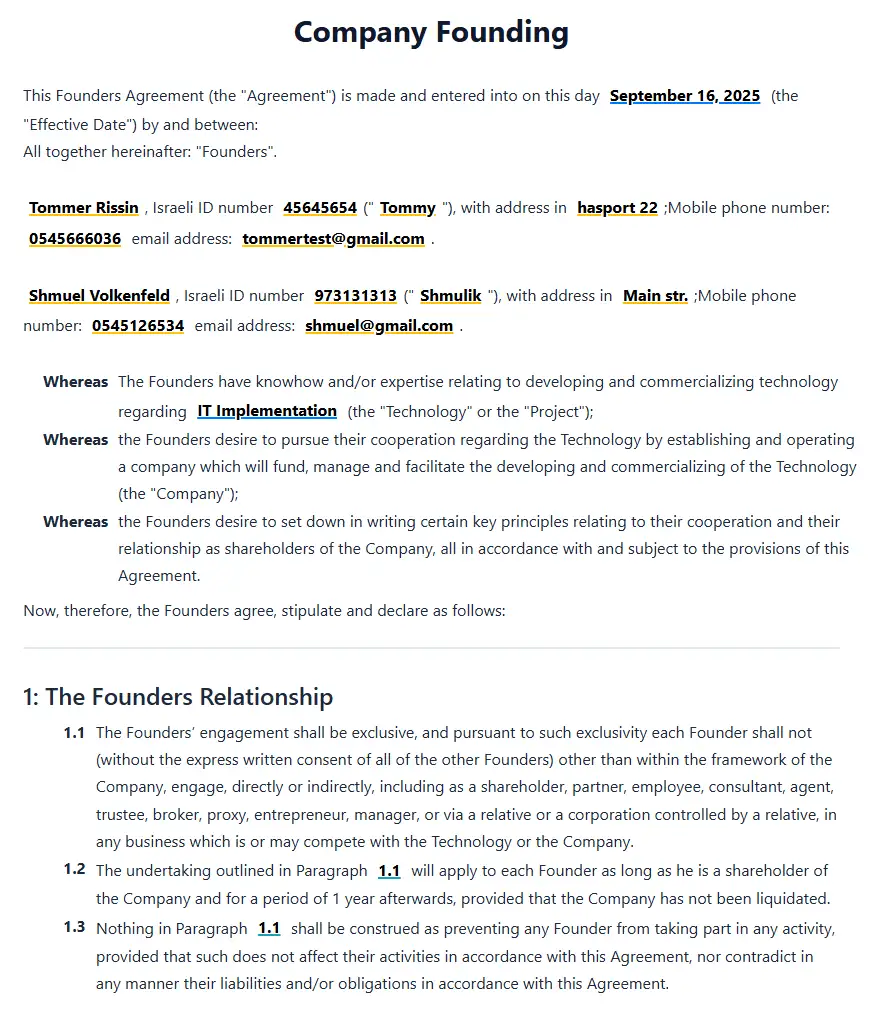
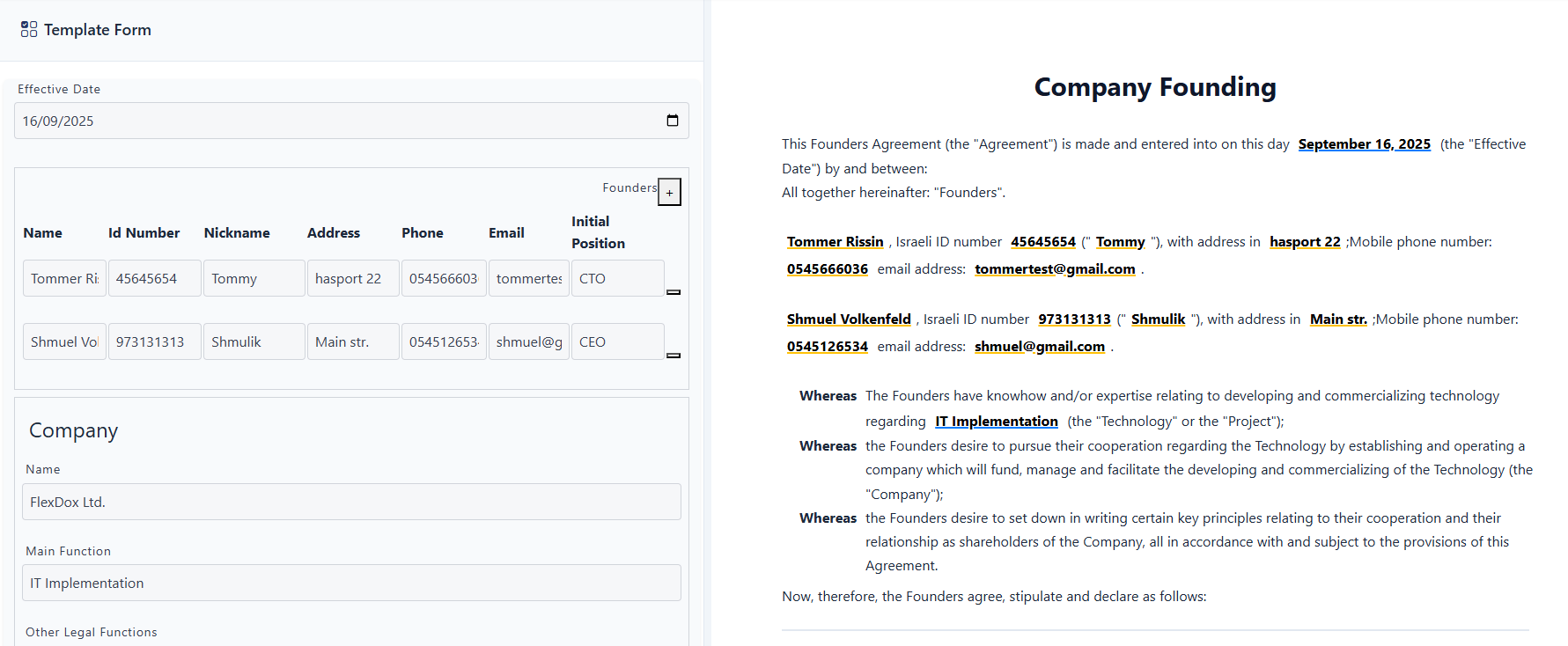
Template Based Drafting
Each contract or document draft is created using a smart template.
- Fill a guided form - Your template’s form captures all key facts and choices. no hunting through Word docs.
- Auto-generate the draft - Our rule engine builds a complete, consistent contract from your inputs.
- Edit what’s unique - Overwrite any clause for the current document without changing the template or other documents.
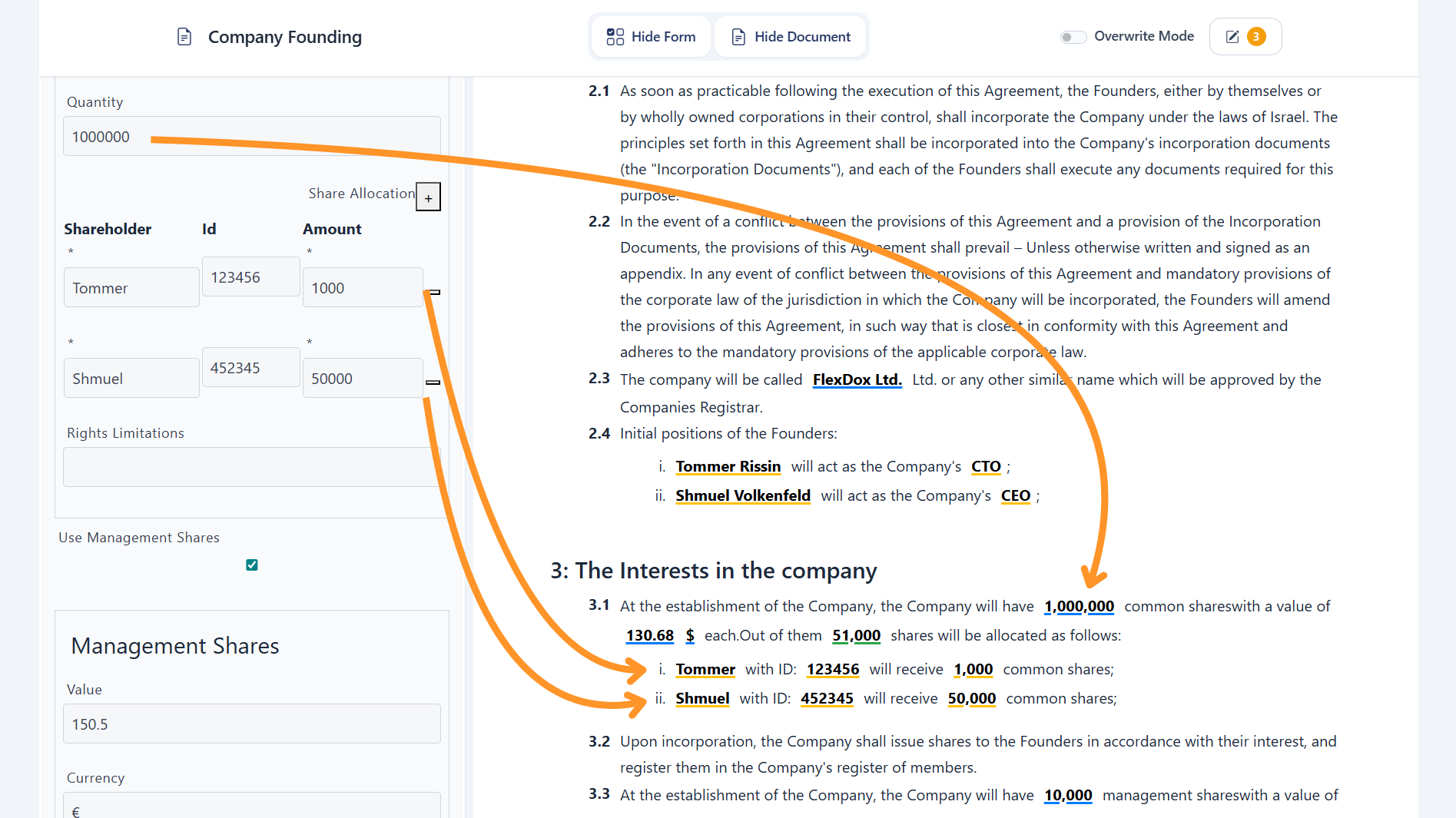
Smart Variables
Auto-insert values (including calculated ones) exactly where they belong, properly formatted every time (e.g., names, dates, amounts).
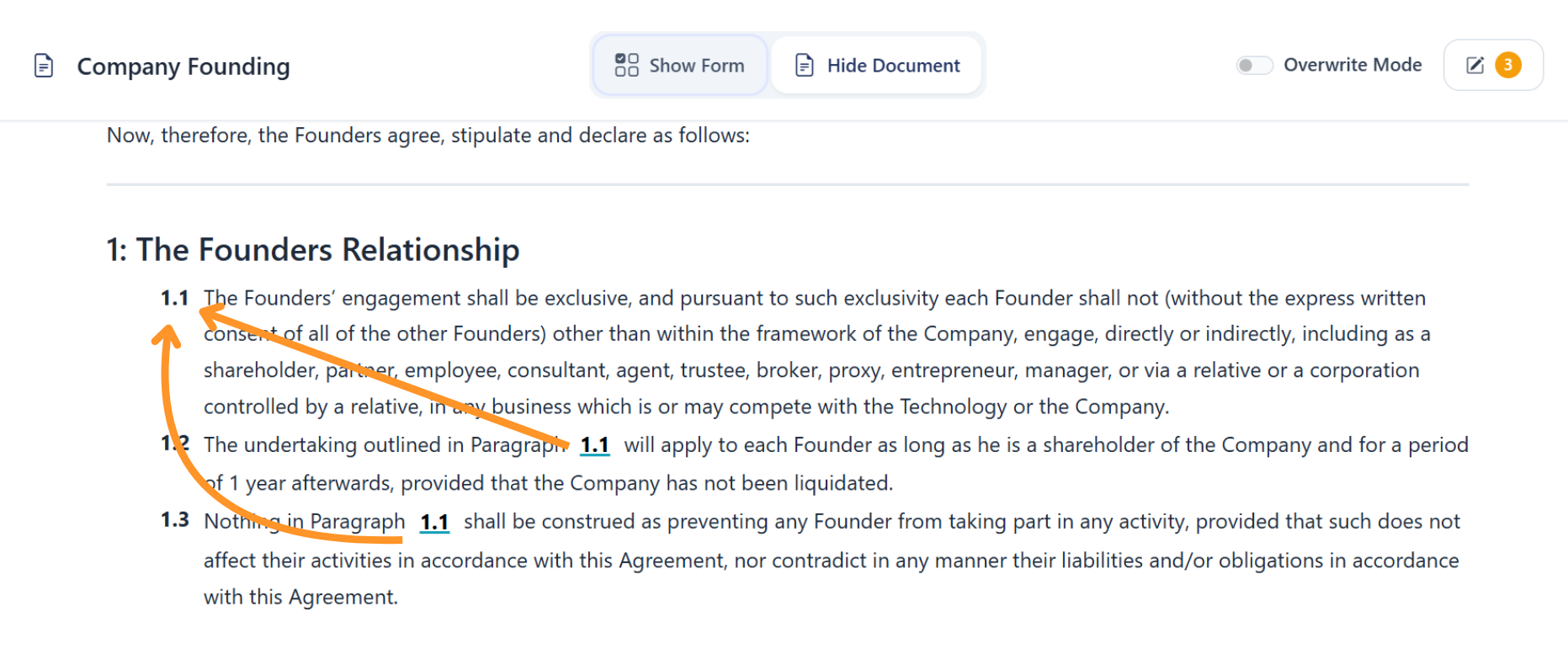
Clause References
Cross-references update automatically, so numbering and links never drift.
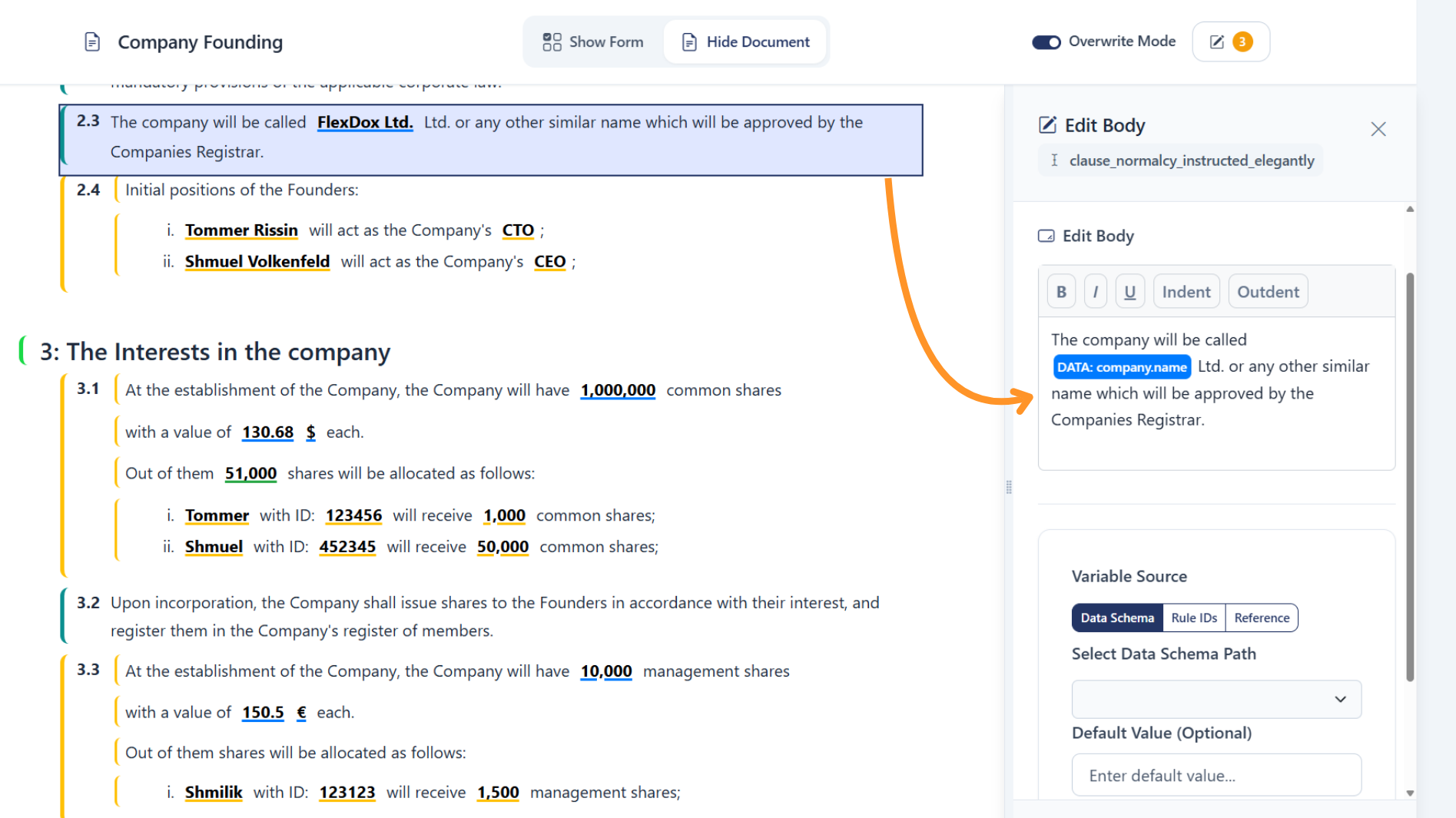
Live Overwrites
Tailor any clause for the current draft without affecting the template or prior documents.
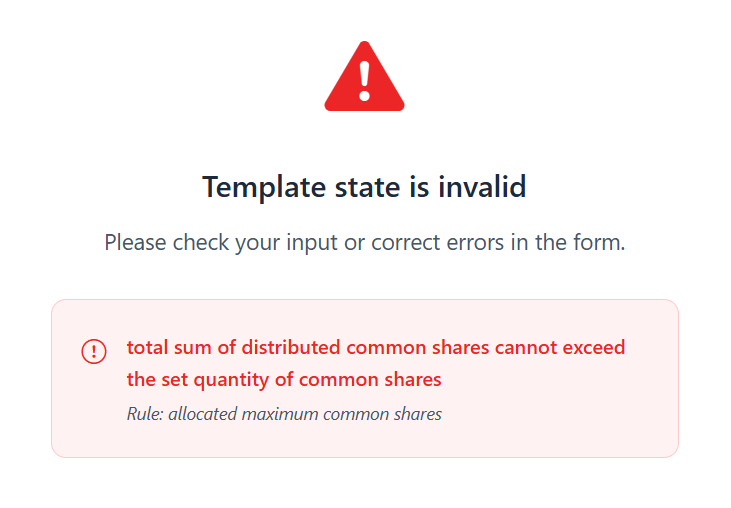
Data Validation
Build complex validation rules to prevent mistakes before they reach the document. If a rule fails, users see a clear error until it’s resolved.
Everything you need for team adoption
Document Management
Search and organize with a simple folder structure.
Users
Admins can add, remove, and manage roles and access.
Rule Expressions
Create logic for calculations, data checks, and conditional clauses.
Frequently asked questions
Here are some common questions about FlexDox.
FlexDox templates include a rule engine and overwrite option. This means you can build logic for edge cases directly into a template, or override any clause in a single draft without changing the original template.
Creating templates in FlexDox is a specialized process that requires training. A trained user in your organization can build and maintain templates, or you can rely on our FlexDox experts to assist in designing and implementing new templates (available as a paid service).
For now, template creation is not intended for casual business users. Simplifying this process so that anyone can create templates without training is an important item on our roadmap.
Documents that have already been generated remain frozen and unchanged. Only new drafts use the updated template version. This ensures legal integrity and a reliable audit trail.
No. Drafting, editing, and managing documents in FlexDox is simple and intuitive. it’s designed for lawyers and legal teams, not developers.
That said, creating new templates is a more advanced process. It requires training or assistance from our FlexDox experts (available as a paid service). This ensures that the rules, variables, and structure are implemented correctly.
We are actively working on making template creation easier for non-technical users, and this is a key item on our product roadmap.
- review and edit inside FlexDox.
- export to Word at any time and continue working with the document just like any other document.
Yes. FlexDox provides a growing library of starter templates that you can clone and adapt to your firm’s style, jurisdiction, and practice area. They serve as a strong baseline, but remain fully editable.
- Law firms of any size that want to speed up drafting and reduce errors.
- In-house legal teams who need consistency and knowledge retention.
- Solo practitioners who want to work smarter and scale their output.
A FlexDox template is designed for one language exclusively. If you need the same contract in multiple languages, you’ll create separate templates for each language.
At this stage, FlexDox only supports left-to-right (LTR) languages like English. Full right-to-left (RTL) language support (e.g., Hebrew, Arabic) is a high priority on our roadmap and will be introduced in a future release.
All documents and templates are stored with enterprise-grade encryption. We’re hosted on Google Cloud, with data residency in Israel/EU, and SOC 2 compliance is on our roadmap.
Want to hear more?
Book a free Demo with no commitment.